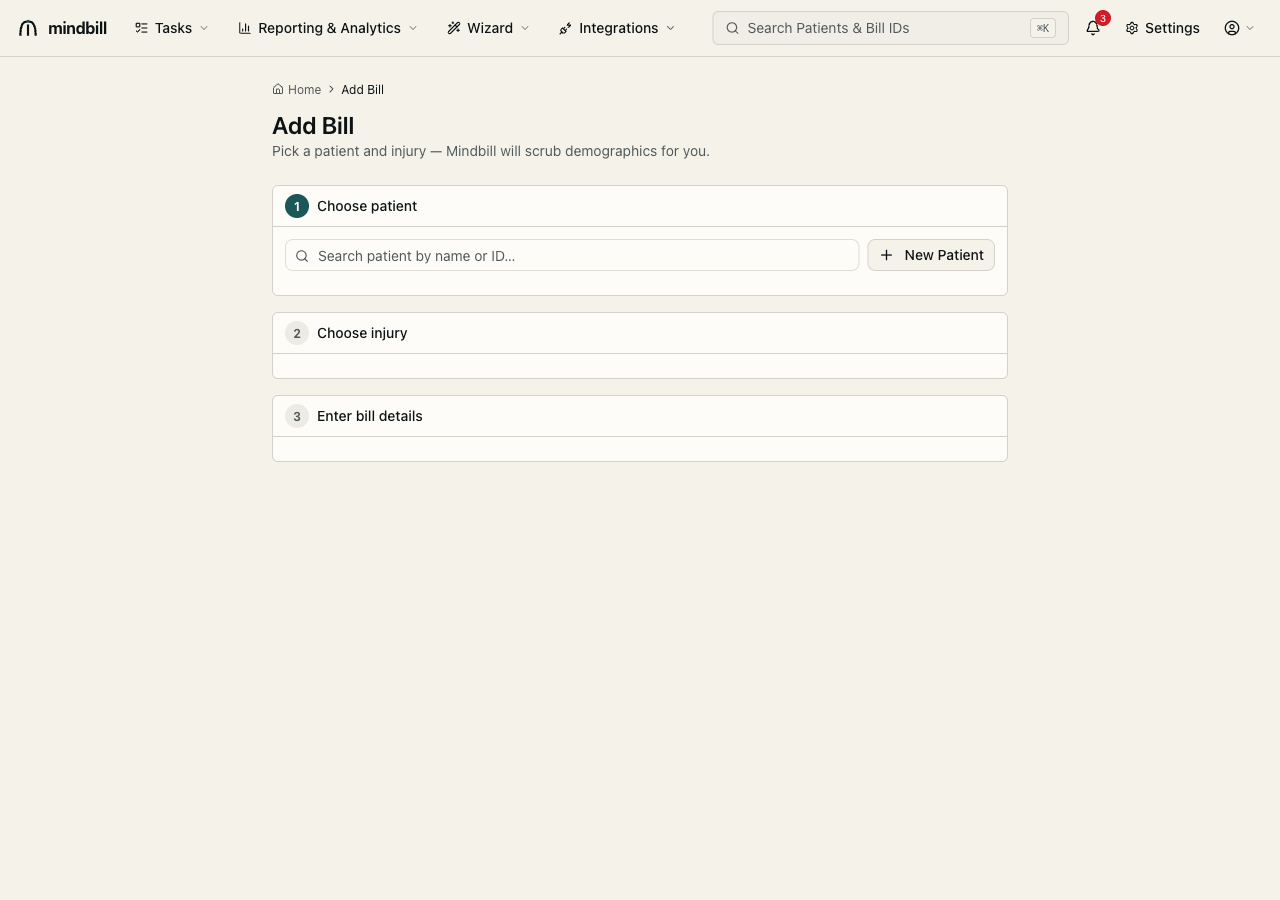
Editing a patient
Step 1 — Open the patient record
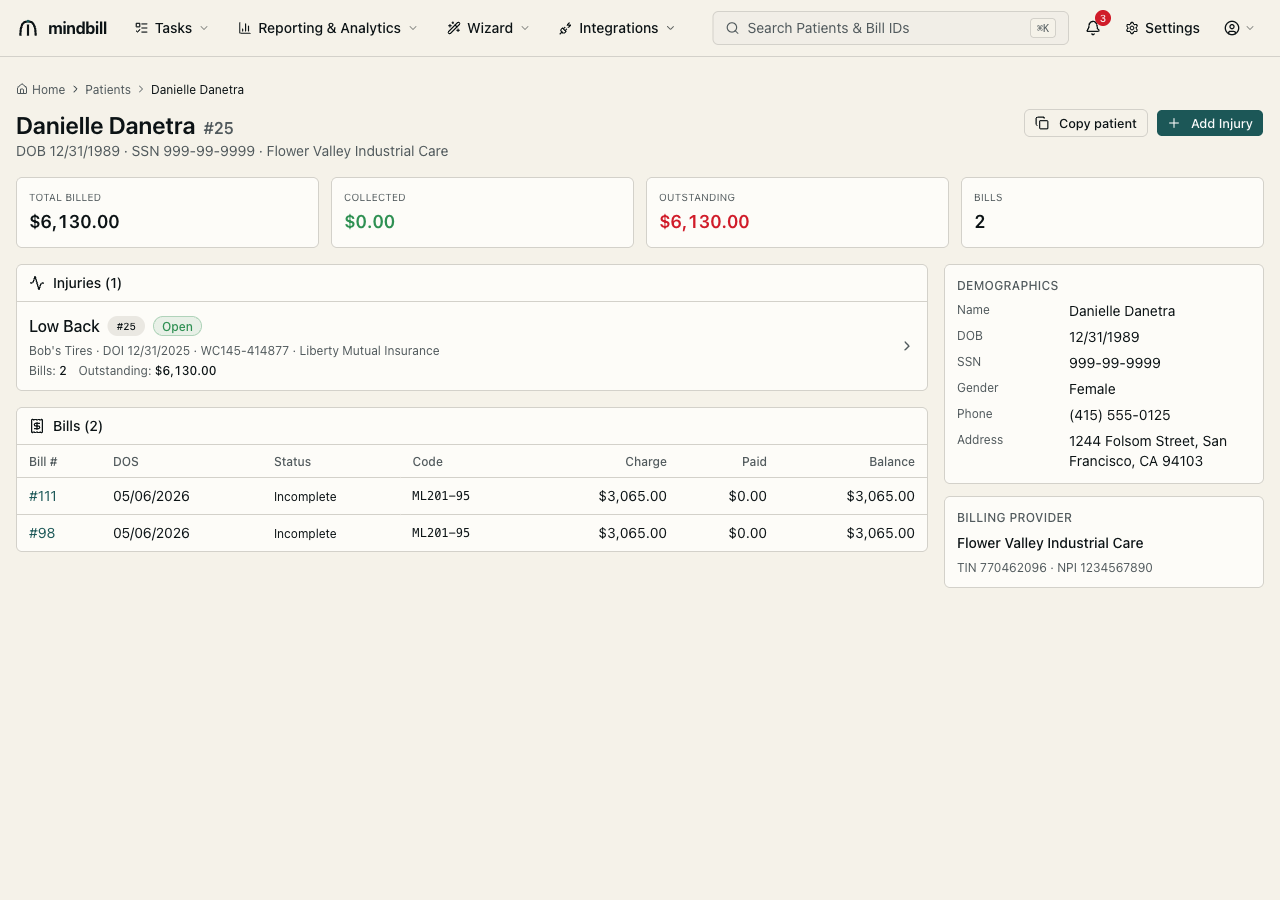
Open a patient from the Patients list or by searching their name or patient ID in ⌘K. The record opens to an overview: the worker's name and ID, headline totals (total billed, collected, outstanding, bill count), the injuries on file, and every bill linked to this patient with its status, codes, charge, paid, and balance. This is your single view of everything tied to one injured worker.
Step 2 — Review the demographics
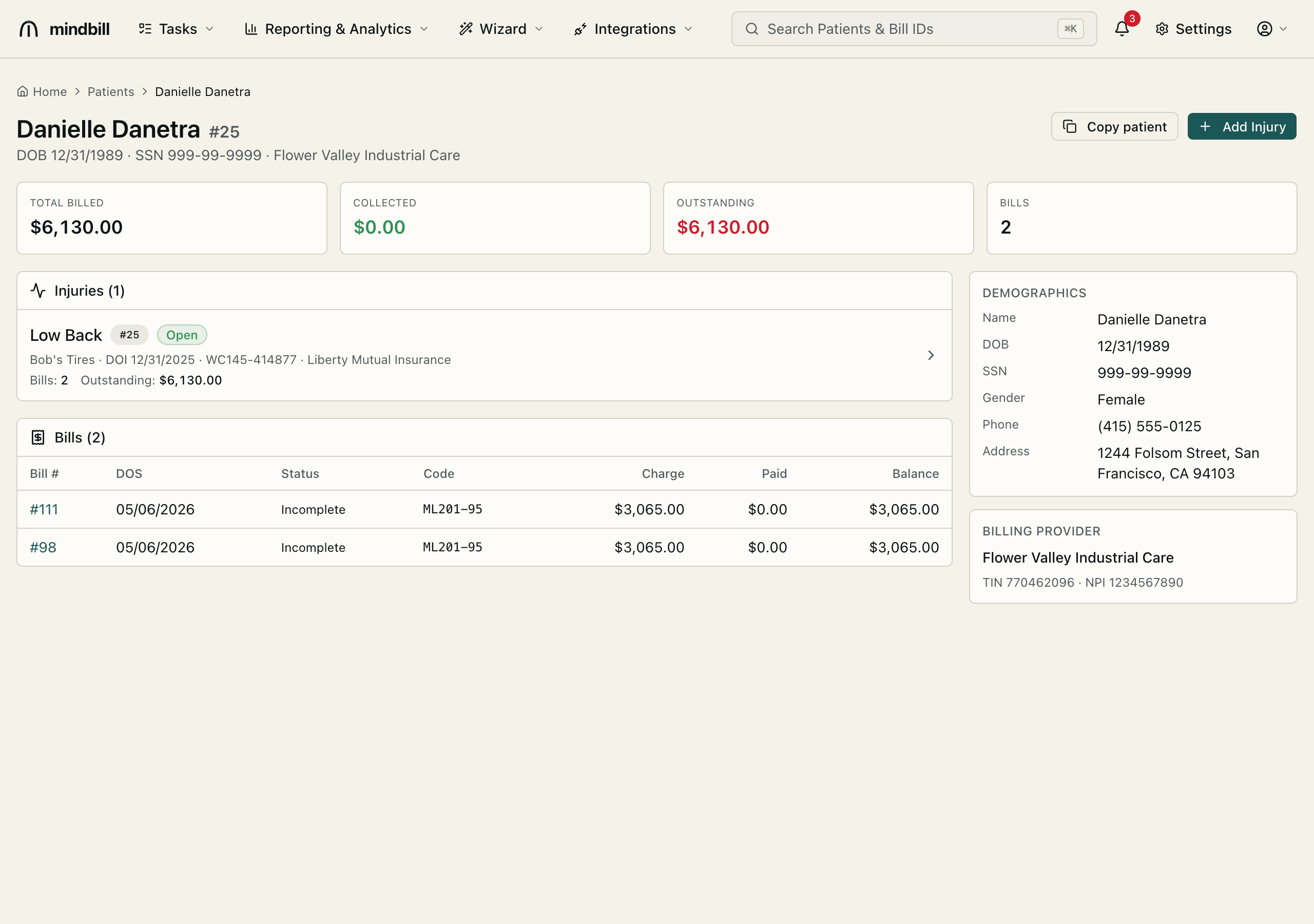
The Demographics panel shows the EDI-relevant fields — name, DOB, SSN, gender, phone, and address — alongside the Billing Provider (tax ID and NPI) that stamps this patient's bills. These are the exact fields the Mindbill Scrub validates before every send, so this panel is where you confirm a record is clean: a transposed SSN digit or a wrong ZIP here is what becomes a 277CA rejection later.
Step 3 — Edit demographics (scrubbed as you type)
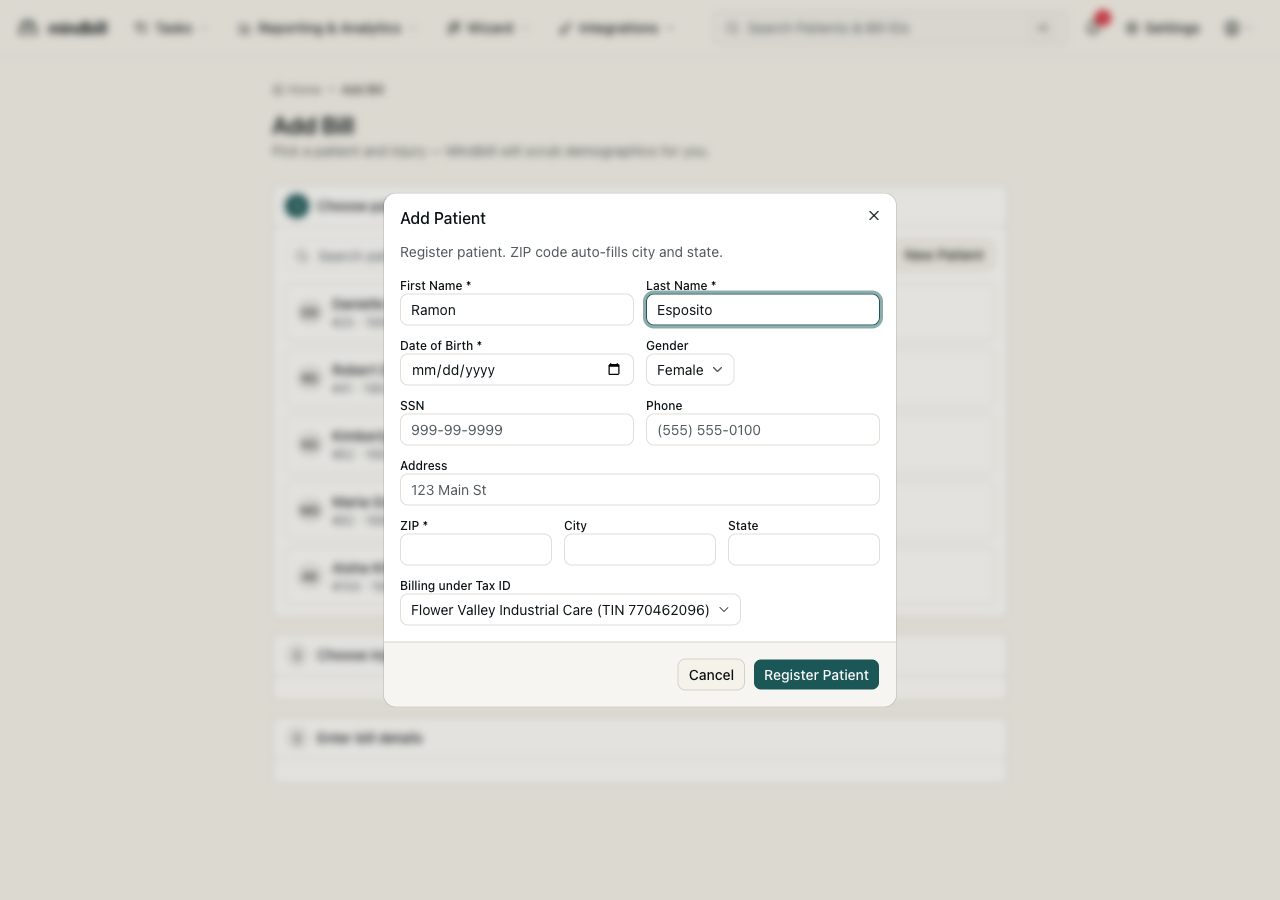
Update name, DOB, gender, SSN, phone, or address using the same Add Patient form the bill flow uses. Mindbill validates as you edit — ZIP auto-fills city and state, SSN and phone formats are checked, and the DOB is range-validated — so a correction is EDI-clean the moment you save it. The form is tied to the billing entity (the Payer Tax ID selector), keeping the correct submitter TIN stamped on future bills.
Step 4 — Corrections propagate; sent bills stay frozen; archive the inactive
Because open bills reference the patient record, a saved correction flows to every in-flight bill automatically — fix a misspelled name once and it's right everywhere it hasn't yet been sent. Historical, already-sent bills retain the exact demographics they were transmitted with, preserving audit integrity: the record you edit going forward and the record a payer received in the past stay distinct, so the paper trail never silently changes. When a worker's record is no longer active, you don't delete it — Archive it from the Patients list to drop it out of the default view (the Show archived toggle reveals archived patients and an Unarchive control brings one back), so the directory stays clean without losing any history.