mindbill
Integrations3 minUpdated 2026-06-15

Using the claims-administrator directory

Narrated walkthrough · recorded in the live Mindbill app

Step 1 — The picker is built into Add Injury

Adding an injury? The Claims Administrator field is built right in — the whole payer directory, one picker. You don't leave the claim to find a payer; the directory comes to you, and the one you select attaches directly to the injury you're filing.

Step 2 — Prior-billing counts help sort the list

Open the picker and Mindbill uses prior-billing counts as a hint for the payers your team uses most. Those counts never define routing; every selectable payer still resolves to the canonical directory entry with its payer IDs and delivery channels.

Step 3 — Search by name, AKA alias, or payer ID

Search any way you know the payer — by name, by an also-known-as alias, or straight by payer ID; the search reads all three. Many administrators carry also-known-as aliases, so a payer surfaces even when you search the name it operates under rather than its legal entity name. That's how you find the right entry even when the legal name on the claim differs from the name you know the payer by.
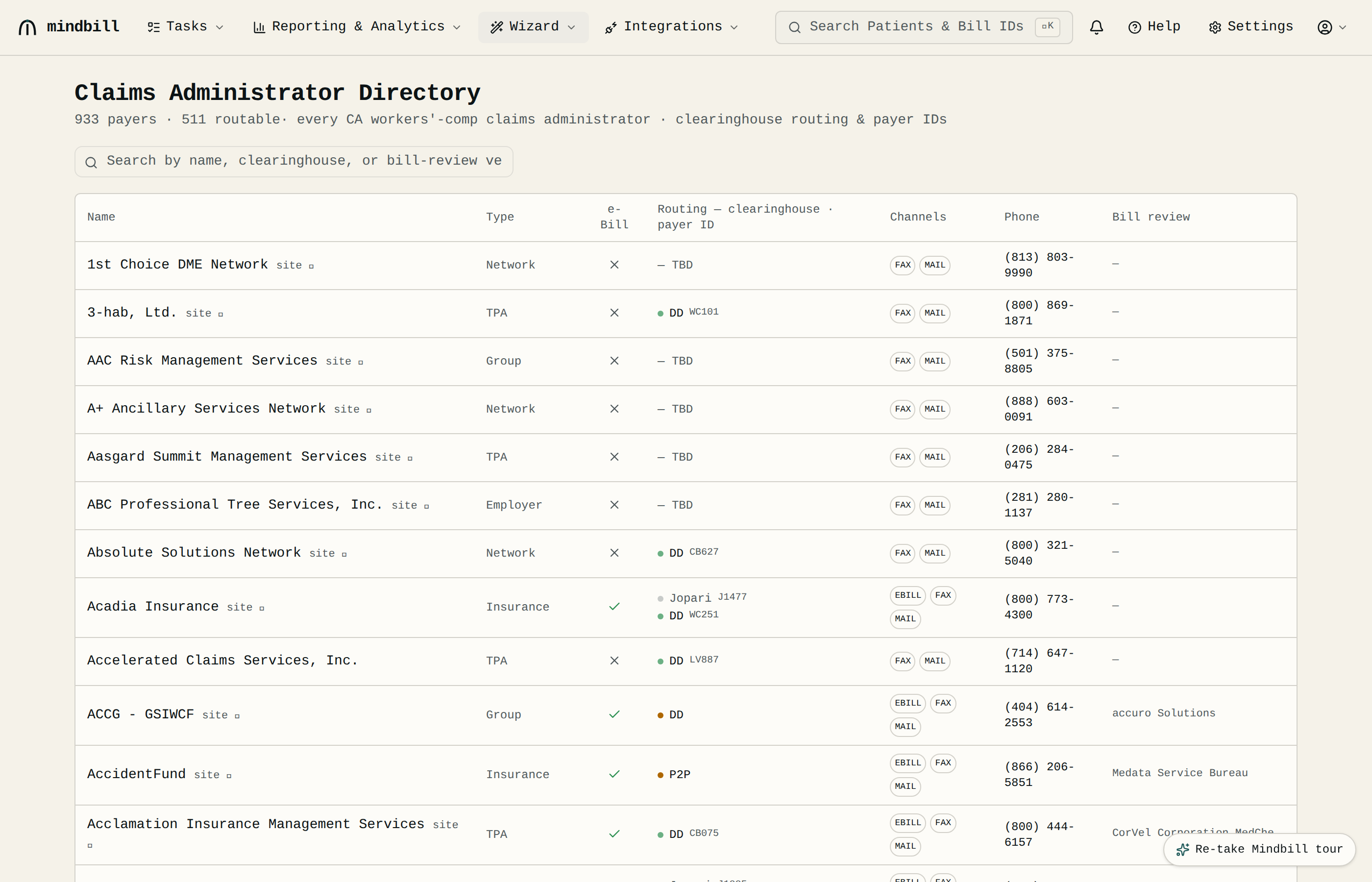
Step 3 — Search by name, AKA alias, or payer ID

Step 4 — Select a payer, and open its profile

Pick the one you want and it's attached to the injury — name, routing, and payer ID locked onto the claim and every bill under it. Every claims administrator is also clickable: open its profile to see how it accepts bills, its outstanding balance with you, the claim-number pattern it expects, and every bill you've sent it.

Step 5 — Payer not listed? Request a directory add

Payer not in the directory? Use Add custom claims admin to send the payer name and any routing details you have to support. The team verifies it and adds it to the canonical directory, so future routing still comes from one source of truth.

Step 6 — Routing stays canonical

No single clearinghouse reaches every California WC payer, so Mindbill routes per payer across Carisk, Jopari, Data Dimensions, fax, email, or mail based on the canonical directory entry. If a payer cannot be routed to a clearinghouse, the directory must carry the verified fallback channel before bills go out.
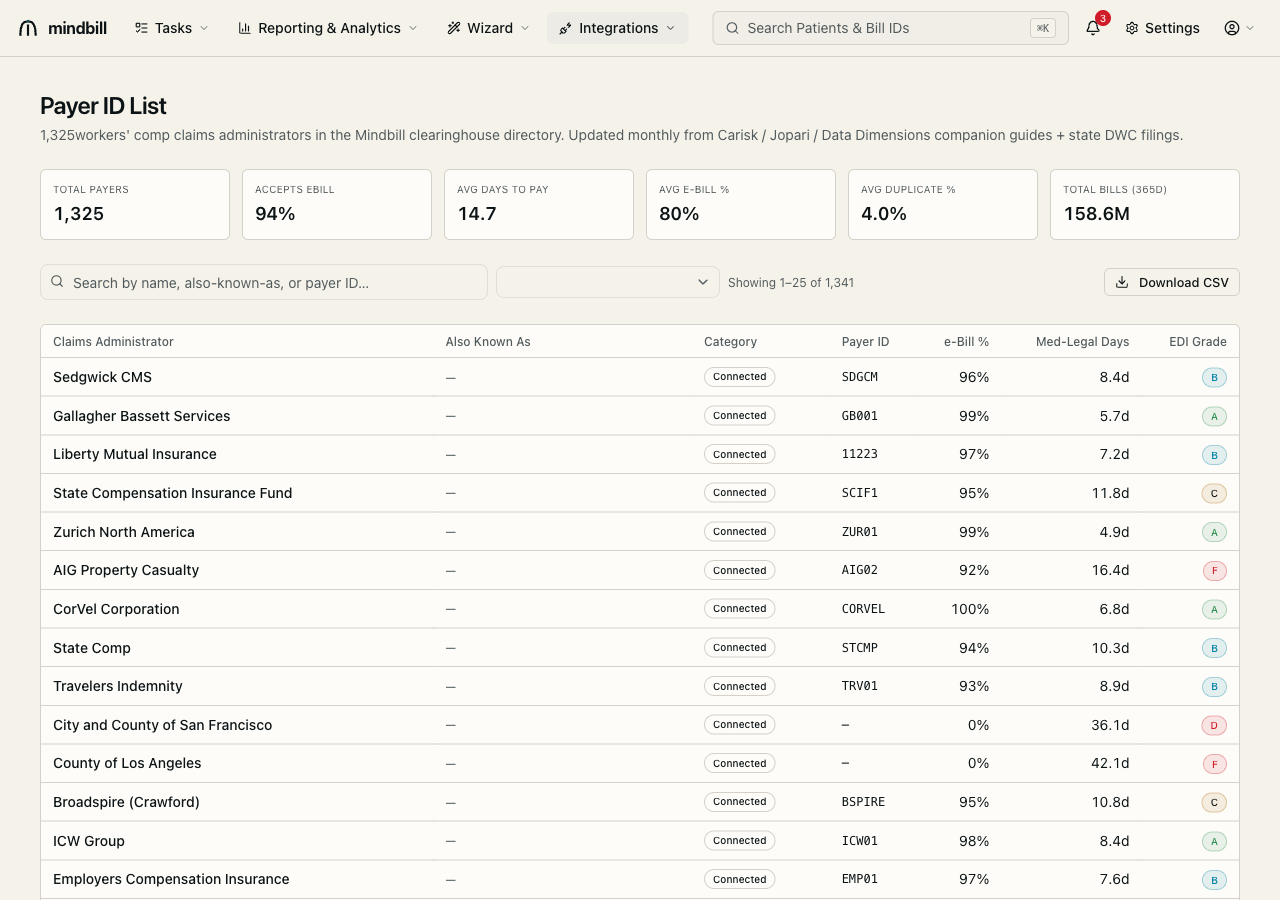
Step 6 — Routing stays canonical
Every bill has to reach the right claims administrator. Mindbill ships with a directory of hundreds of them — California WC insurers, TPAs, state funds, networks, and self-insured employers — and the search to find any one in seconds. It's built right into the Add Injury claims-administrator field, so the payer you pick locks its routing onto the claim and every bill that hangs off it. This walkthrough covers the picker, searching it, the payer profile, and adding a payer that isn't listed.
Was this article helpful?
Browse all articles