Choosing a bill submission method
Step 1 — Open Send Bill and read the methods
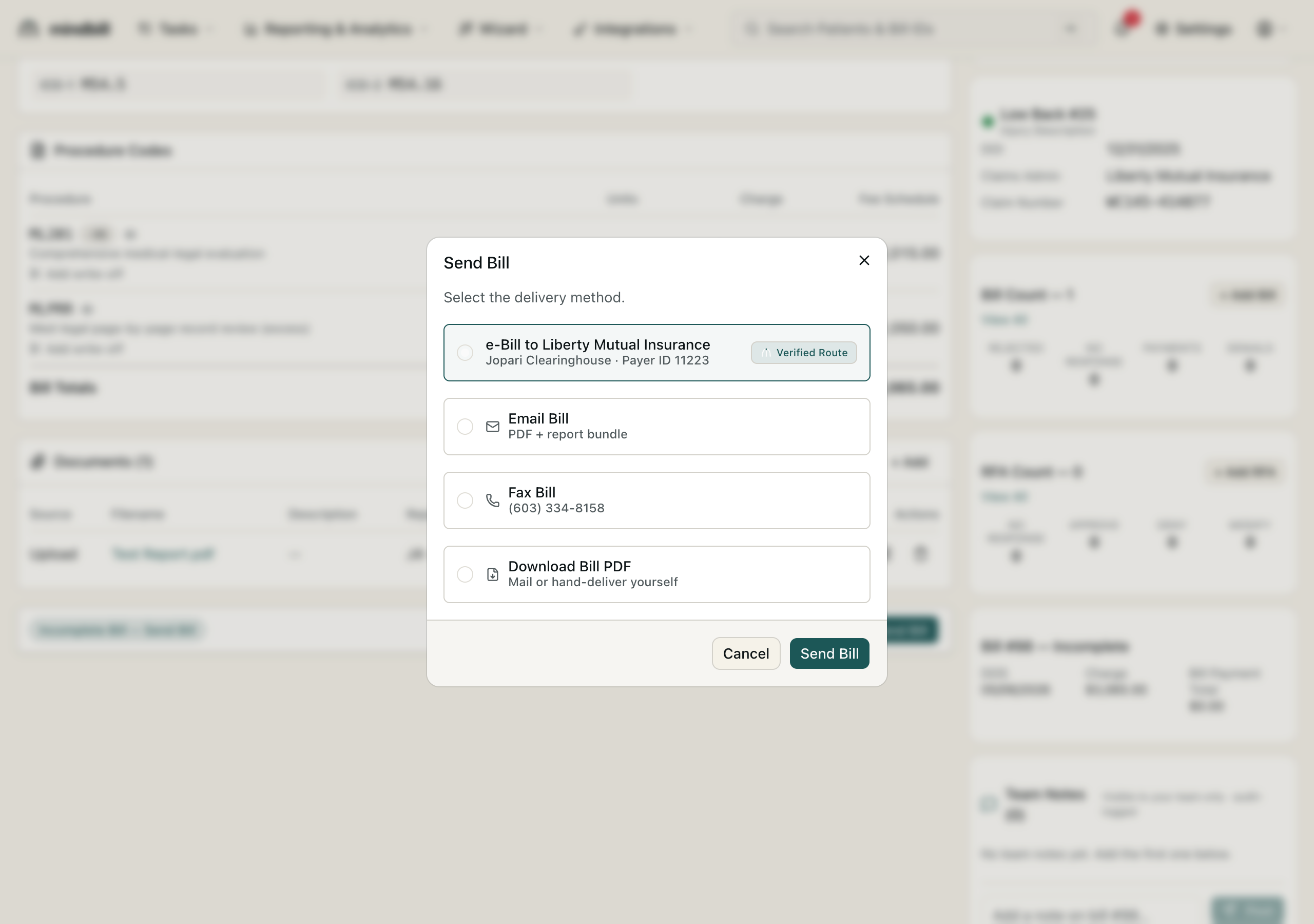
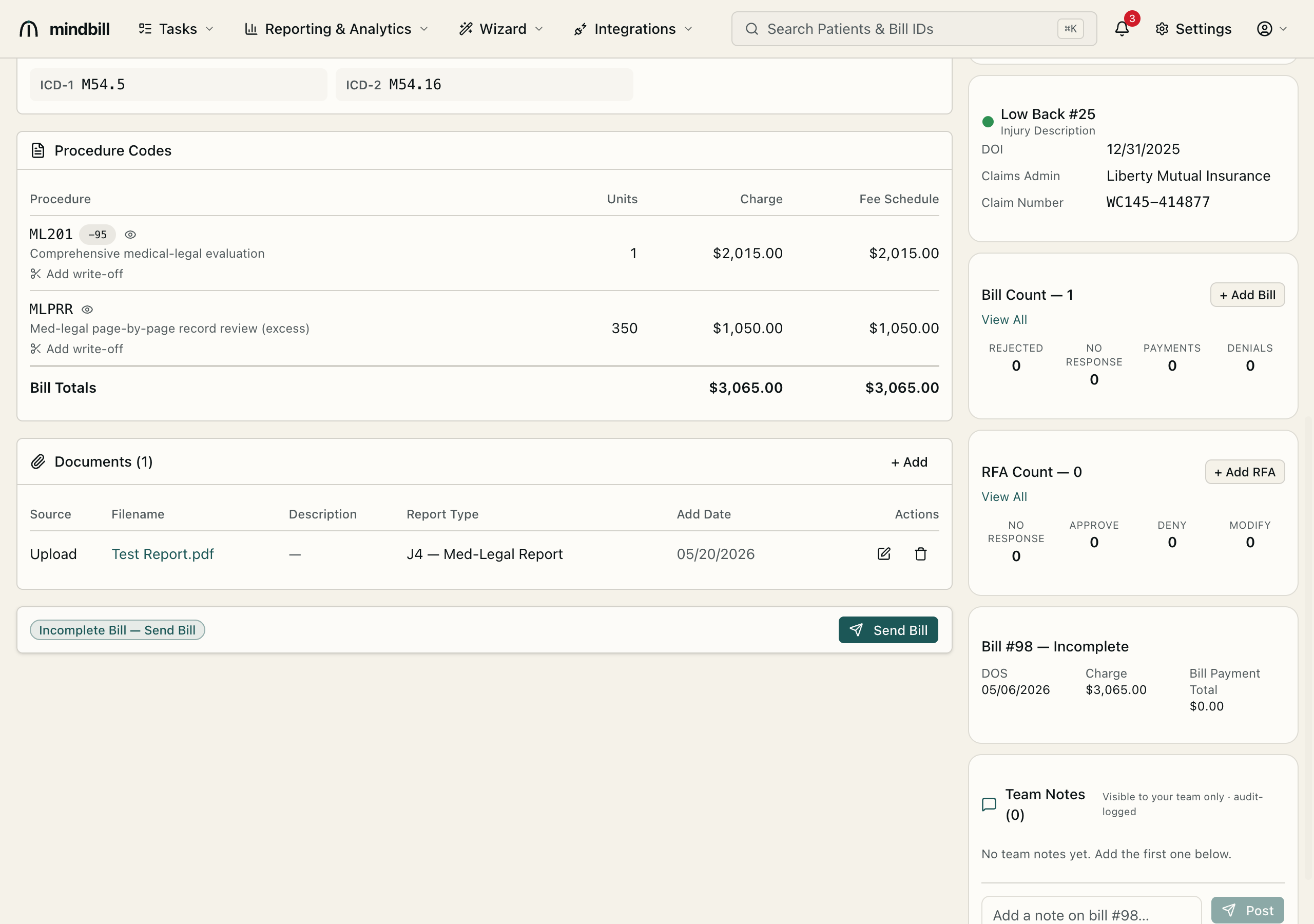
On a finished, scrub-clean bill, click Send Bill to open the delivery-method dialog. The option labels are built dynamically from the payer's real routing, so they name the actual destination — e.g. 'e-bill via Jopari' (Payer ID …), 'fax to (555) 123-4567', 'email to claims@payer.com', 'mail to 123 Main St …', and 'download PDF' for hand-delivery. The dialog highlights the Auto-waterfall route at the top — the verified route for that payer — so you usually just confirm it rather than override it.
Step 2 — Send electronically (the default)
The e-bill option reads 'e-bill via {clearinghouse}' — e.g. 'e-bill via Jopari' with the Payer ID shown beneath it — and carries the Auto badge as the waterfall default. Electronic is preferred because it pays in roughly 10 days versus 38 for paper, and Mindbill auto-selects the right clearinghouse (Carisk, Jopari, or Data Dimensions) for that payer so you never pick one by hand. Click Submit and the 837P is built and dispatched.
Step 3 — Use the paper and email fallbacks
Some payers — self-insured employers, certain public entities — only take paper. For them, choose 'fax to {number}' (Mindbill sends to the fax on file) or 'mail to {address}' / 'download PDF' and send the print packet, which Mindbill assembles with a cover sheet and the supporting documents. 'email to {address}' bundles the PDF and report for payers that accept it. Each option only appears when the payer actually has that channel on file. Whichever fallback you use, the bill and its documents travel together rather than as separate mailings.
Step 4 — Inspect the envelope and the timeline
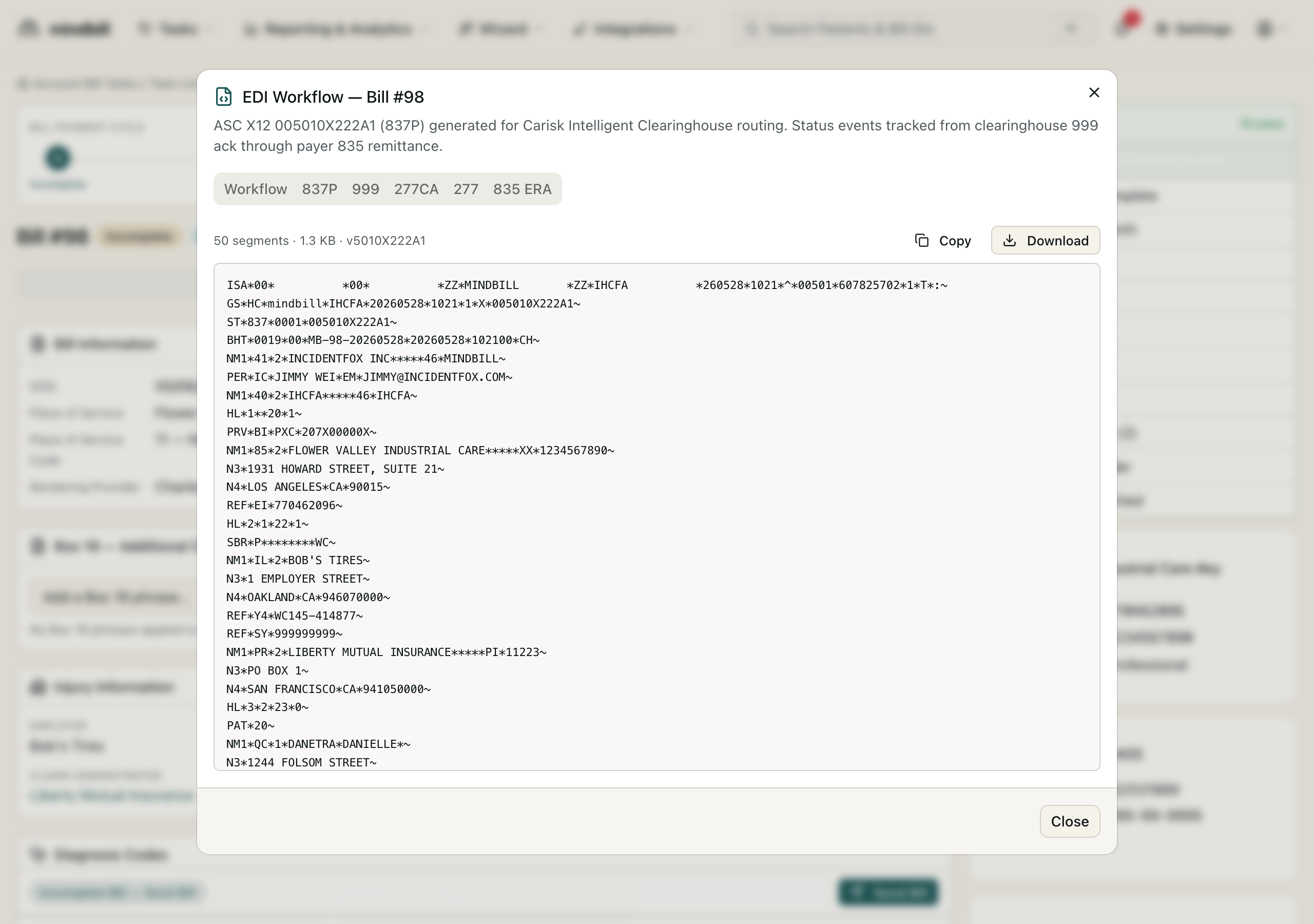
Whatever the method, the bill records how and when it went out. For electronic sends, View EDI shows the actual ASC X12 005010X222A1 (837P) envelope segment by segment, from the ISA/GS headers through the claim and service lines, with the clearinghouse routing noted. The bill's history then timestamps the dispatch and tracks each inbound acknowledgment, so you always have proof of the submission method and time.